
What Is a Kanban Board? Examples, Templates & Free Tools
I’ve been using kanban boards for years — my understanding of “being organized” started first as a nurse juggling patient care and then as a product manager tracking feature development. Kanbans are one of those tools that sound overly simple and then when you actually get to using it, the value becomes huge. This guide covers everything I wish someone had told me when I was starting out: what kanban boards actually are, how to set one up, real examples for different types of teams, and which free tools are worth your time.
Full disclosure: I help build Leantime, an open source project management tool. It has kanban boards in it and while I’ll mention it where relevant, this guide is about kanban in general — not a sales pitch.
A Brief History of the Kanban Board
The kanban methodology started on a factory floor in Japan. In the 1940s, Toyota developed its “kanban” system — Japanese for “visual signal” — to manage inventory and production flow. Workers used physical cards to signal when work needed replenishing and what stage it was in. This visual cue created a system that empowered waste reduction and improved efficiency.
In the mid 2000s, software developers adapted the concept for knowledge work, using whiteboards and sticky notes to visualize project status. Today, digital kanban boards are used by software teams, marketing departments, agencies, nonprofits, small businesses, and individuals managing everything from product launches to grant deliverables to household chores.
The core value hasn’t changed: make work visible, limit what’s in progress, and keep things flowing.
What Is a Kanban Board?
In the technical sense, a kanban board is a visual tool that maps work in column based stages and done in a way that allows you (and others) to see exactly where every task stands quickly.
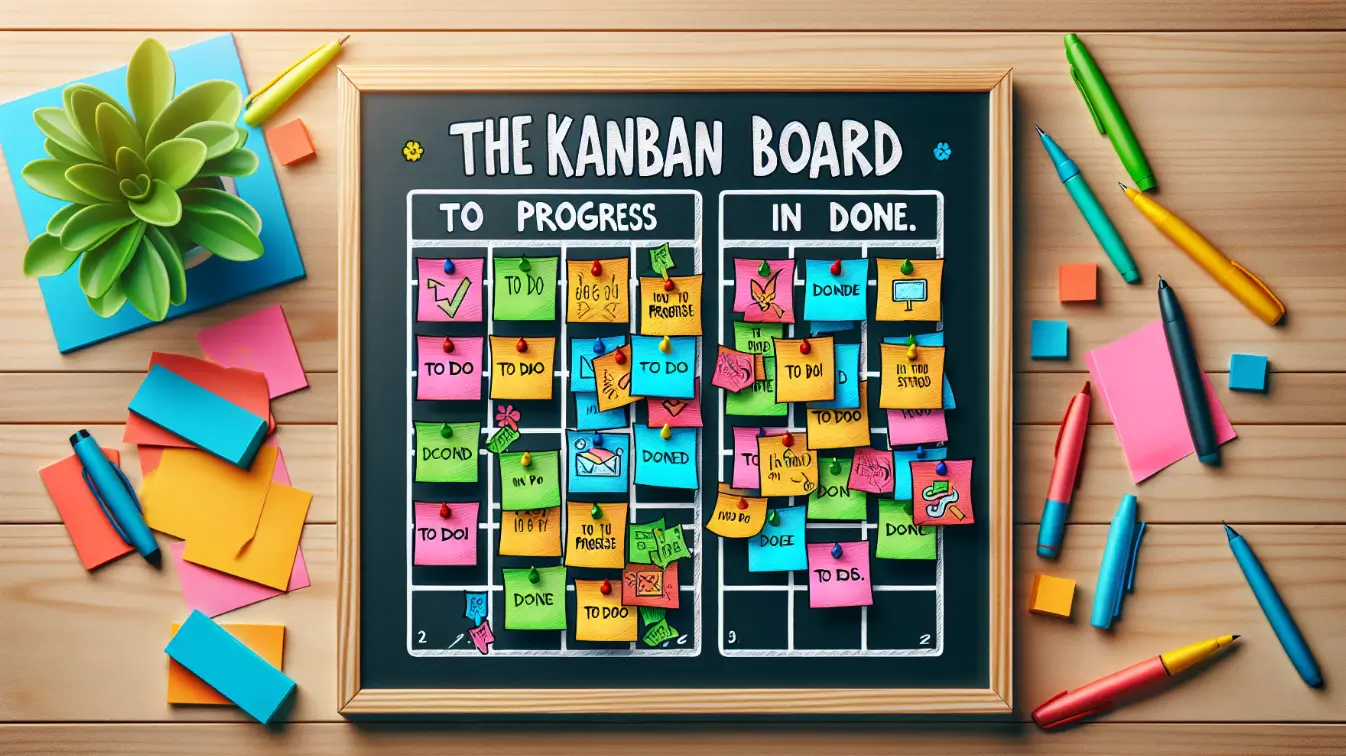
At its simplest, a kanban board has three columns — To Do, In Progress, and Done — with cards (or post-its) representing individual tasks. As the work progresses, cards will move from left to right through the columns. That’s it. That’s the core concept.
In healthcare, you quickly learn that everything exists in layers and that each layer holds its own important role in the system. The epidermis works with the dermis, works with the subcutaneous fat, works with the muscles, bones… and here I’ll stop the science lesson. The point here is that systems will always exist in a big picture and work its way to the small individual pieces that hold it all together. It’s called gestalt theory.
A To Do list can be either. It can be big picture and little pieces, all depending on how in depth you work the list. I often stay too high level in my lists because I find too many tasks overwhelms me out of doing the work. This here, though, is where the kanban magic happens. There’s nothing special about the columns, the cards — and it often feels so simple that it’s silly. The magic is in what happens when your entire workflow becomes visible. Bottlenecks, the hiccups, reveal themselves. Overloaded team members become obvious. The temptation to start ten things at once gets replaced by the discipline of finishing what you’ve started.
When I first started using a kanban board, it felt like oversimplified bloat for my to do lists. It turns out they’re simple, powerful, and useful for organizing just about any kind of work — not just tech projects.
The 5 Key Components of a Kanban Board
Every effective kanban board includes five elements:
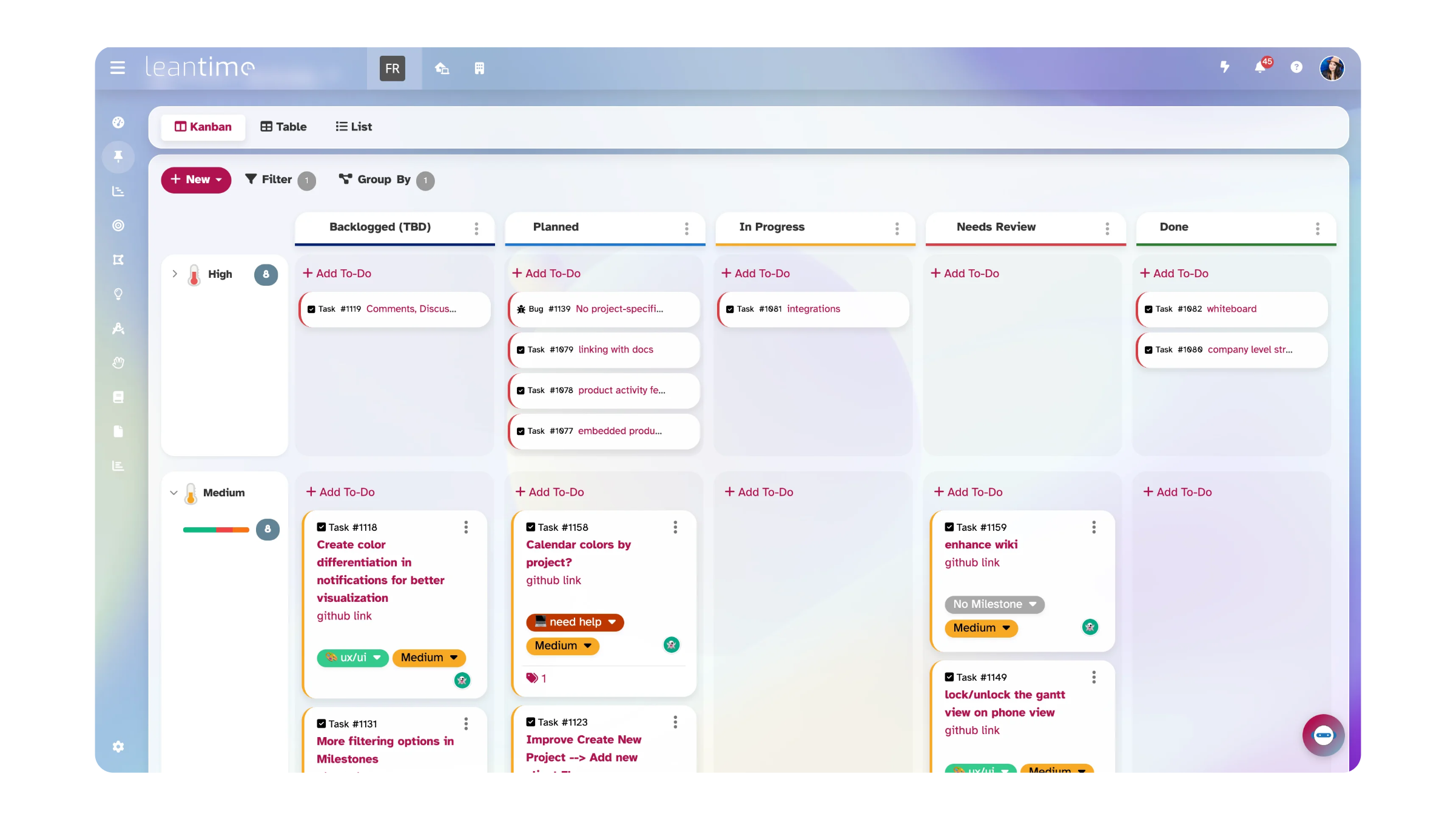
Columns represent the stages of your workflow. The simplest setup is To Do → In Progress → Done, but you can customize columns to match your actual process: Backlog → Ready → In Development → Code Review → QA → Done, for example. Most teams work best with 3 to 7 columns.
Cards are individual work items. Each card should include a title, owner, due date, and priority level. On a digital kanban board, cards can also hold descriptions, subtasks, comments, and file attachments. Think of each card as a self-contained unit of work.
Work-in-Progress (WIP) Limits are the maximum number of cards allowed in any column at once. This is the most underappreciated element of kanban — and arguably the most important. WIP limits prevent your team from starting too many things simultaneously. They force you to finish work before beginning new work, which reduces context switching and increases throughput. A good starting point is your team size multiplied by 1.5.
Commitment Point is where work officially enters the system. It’s the moment a team picks up an idea from the backlog and says “we’re doing this.” Everything before the commitment point is an option; everything after it is a commitment.
Delivery Point is where work is considered done. Depending on your workflow, this might be a “Deployed” column, a “Client Approved” column, or simply “Done.”
There’s also a sixth element worth knowing about: swimlanes — horizontal rows that let you organize cards by team member, project, priority, or client. They’re not required, but once your board gets busy, they help a lot. We’ll cover those in detail below, and there’s a full guide on kanban swimlanes if you want to go deeper.
How Does a Kanban Board Work?
Unlike traditional project management where work is pushed to team members, kanban uses a pull system. Team members pull new work into their queue only when they have capacity — when they’ve finished or moved a current task forward. This is an efficiency technique that creates structure around when and how you take a task. My brain often sees all the tasks and feels like I need to do everything at once and that just isn’t the case. Sometimes, it isn’t until I see what’s actually in progress that I can acknowledge the path to progress.
Here’s how the flow works in practice:
Tasks start as cards, whether you’re using a digital board or physical sticky notes. Each card includes a description, due date, assignee, and any relevant details. As you work on a task, you move its card from “To Do” to “In Progress.” When it’s finished, it moves to “Done.” This visual movement lets everyone on the team see progress without asking for status updates. 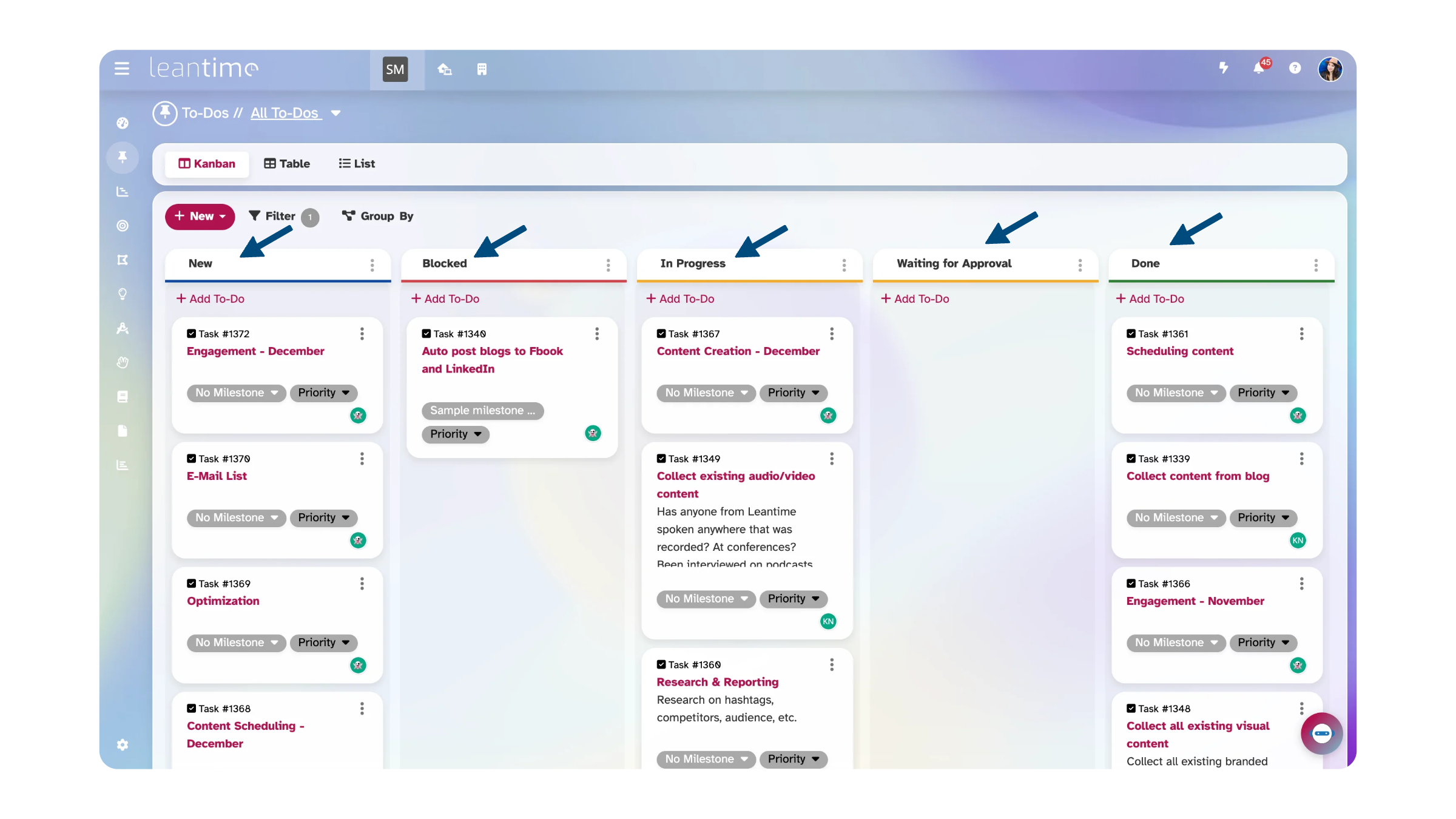
WIP limits prevent overload. If your “In Progress” column has a limit of 3 and there are already 3 cards there, nobody can start new work until something moves forward. This constraint is what makes kanban fundamentally different from a to-do list — it forces focus.
The system isn’t static. Kanban boards have the ability to handle complex amounts of data and more straightforward columns as seen here. The kanban can’t do this alone, though. You have to maintain the board by regularly reviewing, identifying where cards are getting stuck, and adjust your process.
If cards pile up in “Code Review,” that’s a signal you need more review capacity. If “To Do” is always empty, you might need better backlog grooming.
And here’s something that doesn’t get mentioned enough: moving cards across the board feels good. There’s a genuine dopamine hit every time you drag a task to “Done.” For anyone whose brain thrives on visible progress — especially those with ADHD — that feedback loop matters. It turns abstract progress into something tangible. But let me caveat that this is a double edged sword. Dopamine is understood to be secreted on the path to a goal so while it feels good to move to Done, there is also a known dopamine dip once we reach a goal. To manage this, I try to balance my work effort, so that I’m not only doing the one big hard task. I need to see several different sized tasks move over so that I can experience progress and done.
Kanban Board Examples for Every Team
Kanban boards are flexible enough to work for pretty much any kind of team. Here’s what they look like in practice across different workflows.
Software Development Kanban Board
Columns: Backlog → Ready → In Development → Code Review → QA → Done
This is the classic kanban setup for engineering teams. Use swimlanes to organize by sprint, epic, or team member. The “Ready” column acts as a commitment point — only pull items into “In Development” when the requirements are clear and the developer has capacity.
Pro tip: Add a WIP limit of 1 per developer on “In Development” to minimize context switching.
Marketing Team Kanban Board
Columns: Ideas → Planning → Creating → Review → Published
Marketing teams juggle multiple content types, campaigns, and deadlines simultaneously. Swimlanes by content type (blog, social, email, video) or by campaign help prevent work from different initiatives from getting tangled together.
Personal Productivity & ADHD Kanban Board
Columns: Brain Dump → This Week → Today → Done → Celebrate 🎉
Kanban boards work really well for ADHD brains. The visual layout limits overwhelm by showing only what matters right now. WIP limits help with the tendency to start fifteen things at once. And the “Celebrate” column gives you visible proof that you’re making progress — which matters more than people think.
Keep your personal board simple — 3 to 4 columns maximum — and limit “Today” to 3 items. If you can’t see your entire board at a glance, it has too many cards.
Read More: Mastering Task Management for ADHD
Small Business & Startup Kanban Board
Columns: Opportunities → Evaluating → Building → Launched
For founders wearing multiple hats, a kanban board keeps ideas from falling through the cracks without adding a bunch of process overhead. Swimlanes by product line or business function (marketing, product, operations) let you see everything your small team is working on in one place.
Agency & Client Services Kanban Board
Columns: Briefed → In Progress → Client Review → Revisions → Delivered
When you’re managing work for multiple clients, swimlanes become essential. Create one swimlane per client so you can immediately see workload distribution, spot which client’s work is falling behind, and prevent deliverables from getting mixed up.
Nonprofit & Grant Management Kanban Board
Columns: Applied → Awarded → In Progress → Reporting → Closed
Nonprofits are often running multiple programs with different funders, timelines, and reporting requirements — all with a small team. A kanban board lets program managers see where everything stands without needing expensive or complicated software.
Use swimlanes by grant or program area (e.g., Youth Services, Community Health, Workforce Development) so you can see at a glance which programs are on track and which need attention. Add cards for grant deliverables, reporting deadlines, and volunteer coordination tasks so nothing slips through the cracks.
Pro tip: Add a “Waiting on Funder” column. Nonprofits often have tasks blocked by external approvals or funding decisions — making that visible prevents the team from wondering why things aren’t moving.
Alternate setup for fundraising teams: Columns: Prospect → Cultivating → Proposal Sent → Awaiting Decision → Won / Lost
This donor pipeline board works like a lightweight CRM. Swimlanes by gift size (Major Gifts, Mid-Level, Annual Fund) help development teams prioritize outreach and see where things stand with each prospect.
Calendar & Roadmap Kanban Board
Kanban boards can also function as visual calendars and roadmaps. Organize columns by time period (this week, next week, this month) or by milestone. Use them to track important dates, plan ahead, and keep the team aligned on what’s coming — without the rigidity of a traditional Gantt chart.
Additional Kanban Board Templates to Get Started
Not sure how to set up your first board? These templates are a good starting point — pick the one that’s closest to how your team works and adjust from there.
Basic Template (Best for Personal Use) To Do → Doing → Done. Three columns, no complexity. Start here if you’ve never used a kanban board before and want to build the habit of visual task management.
Standard Team Template Backlog → Ready → In Progress → Review → Done. This works for most teams out of the box. Set WIP limits on “In Progress” and “Review” to keep work flowing.
Advanced Template with Swimlanes Same columns as the standard template, but add horizontal swimlanes organized by priority: Urgent, High, Normal, and Low. This gives you a two-dimensional view — where work stands AND how important it is.
ADHD-Friendly Template Brain Dump → Pick 3 → Doing (WIP: 1) → Done → 🎉. The strict WIP limit of 1 on “Doing” prevents the overwhelm of parallel tasks. The celebration column makes progress visible and rewarding.
Nonprofit Program Template Grant Pipeline → Planning → Active → Reporting Due → Complete. Add swimlanes by program or funder. This one works well for organizations juggling multiple grants with overlapping timelines — you can see at a glance which programs are in good shape and which need attention before the next report is due.
Any of these templates work in most kanban tools. If you want to try them in Leantime, there’s a free cloud version and a self-hosted open source download.
Kanban Board vs. Scrum Board: What’s the Difference?
Both kanban and scrum are popular approaches to managing work, but they differ in some important ways.
| Kanban Board | Scrum Board | |
|---|---|---|
| Workflow | Continuous flow | Time-boxed sprints |
| Roles | No required roles | Scrum master, product owner |
| Planning | Ongoing replenishment | Sprint planning events |
| Metric | Lead time & throughput | Velocity |
| Board | Persistent, evolves over time | Reset after each sprint |
| WIP Limits | Per column | Per sprint |
| Best for | Ongoing work, support, marketing | Product development with releases |
Kanban is often the better choice for teams that handle continuous incoming work — support teams, marketing, agencies, and personal productivity. Scrum works well for product development teams with clear release cycles.
The good news is you don’t have to choose one or the other. A lot of teams use a hybrid — running kanban for day-to-day work inside of milestone-based project plans. In Leantime, for example, you can use kanban boards within time-boxed milestones, which gives you the best of both approaches. And if you prefer sprints, you can also run sprints in Leantime as well.
How to Create a Kanban Board in 5 Steps
Step 1: Define Your Workflow Stages
Map your actual process, not an idealized one. Watch how work really moves through your team for a few days, then create columns that reflect those stages. Start simple with 3 to 5 columns — you can always add more later.
Step 2: Set WIP Limits
Start with your team size × 1.5 per column. If you have 4 team members, set a WIP limit of 6 on “In Progress.” Adjust up or down based on what you observe. The goal is to prevent multitasking while keeping enough work flowing that nobody is idle.
Step 3: Create Your Cards
Write each task as a card with a clear title, owner, due date, and priority. Don’t dump your entire backlog onto the board — only commit to what your team will actually work on in the near term. Everything else stays in the backlog.
Step 4: Add Swimlanes for Organization
If you’re managing multiple projects, clients, or team members, add swimlanes to create a second dimension of organization. Pick one dimension — project, person, priority, or client — and create a lane for each. Keep it to 3 to 7 swimlanes for scannability. Read our full guide on how to use kanban swimlanes for best practices.
Step 5: Review and Improve
Schedule a weekly board review. Look for stuck cards, overloaded columns, and empty swimlanes. Ask: where is work getting blocked? Are WIP limits too high or too low? Kanban works best when you treat the board as a living thing — something you adjust regularly, not something you set up once and forget about.
Best Free Kanban Board Tools in 2026
If you’re looking for a free kanban board tool, here’s how the most popular options compare. I’ll try to be fair — every tool on this list does something well.
Leantime — Open source, free self-hosted, cloud free tier available. Has visual swimlanes, WIP limits, milestone tracking, and was designed with neurodivergent users in mind. It’s what we build, so I’m biased — but it’s genuinely good for nonprofits and small teams who want something more structured than Trello without the complexity of Jira.
Trello — Freemium model, simple and popular. Great for individuals and very simple workflows, but no native swimlanes and limited project management beyond basic boards.
Jira — Free for up to 10 users. Powerful swimlanes via JQL queries, deep customization, but notoriously complex to set up and maintain. Best for enterprise software development teams with a dedicated admin.
KanbanFlow — Free tier with Pomodoro timer built in. Lightweight and focused, but limited features beyond basic kanban. Best for personal productivity.
Notion — Freemium, flexible database-driven boards. Not a dedicated project management tool — no real swimlanes, no WIP limits, no time tracking. Best for docs-first teams who want boards as one view of their data.
Each tool has its place. Trello wins on simplicity. Jira wins on enterprise power. Leantime sits in the middle — more structured than Trello, way less complex than Jira, and free to self-host if that matters to you.
Why Kanban Boards Actually Work
I’ve seen a lot of productivity tools come and go. Kanban sticks around because it solves real problems.
You stop asking “what’s the status?” When all work is visible on a shared board, bottlenecks surface on their own. Priorities become obvious. People can check the board instead of scheduling another meeting. For nonprofits, this is especially useful — board members and funders can see program progress without requiring staff to compile separate reports.
You actually finish things. WIP limits sound like a small thing, but they change behavior. Research shows multitasking can cost up to 40% of productive time. Kanban’s simple rule — finish before you start — counteracts the tendency to take on too much. This is especially helpful for neurodivergent folks who struggle with task switching.
Standups get shorter. When everyone can see the board, you don’t need to go around the room asking for updates. Visual cues replace verbal status reports. People can see who’s stuck and who has capacity, which helps balance work naturally.
Problems become visible before they become crises. Pay attention to where cards get stuck and you’ll start spotting process problems early. If everything piles up in “Review,” that’s your bottleneck. Over time, teams that use kanban consistently get noticeably faster at delivering work — not because they’re working harder, but because they’ve removed friction.
It plays well with other approaches. Kanban isn’t an all-or-nothing methodology. You can use it alongside Scrum, Lean, or whatever your team already does. A lot of teams run kanban for daily task management inside of larger sprint or milestone structures.
You can see when someone’s overloaded. If one person’s swimlane is packed while another’s is empty, the imbalance is obvious. Without a kanban board, uneven workload distribution is invisible until someone burns out.
Getting Started
Kanban boards have come a long way from sticky notes on a whiteboard, but the basic idea is still the same: make your work visible so you can make better decisions about it. Whether you’re running a dev team, a nonprofit, a marketing department, or just trying to get through your week without losing track of something important — a kanban board is one of the simplest tools that actually makes a difference.
If you want to give it a try:
Start a free Leantime cloud account → No credit card needed.
Or download the open source version → Self-host it, it’s free.
Frequently Asked Questions
What is a kanban board? A kanban board is a visual project management tool that organizes work into columns representing workflow stages. Tasks are represented as cards that move from left to right as work progresses, giving teams a clear picture of what’s in progress, what’s done, and what’s coming next.
What are the 5 key elements of a kanban board? The five key elements are: columns (workflow stages), cards (work items), WIP limits (maximum tasks per stage), a commitment point (where work enters the system), and a delivery point (where work is considered done). Many teams add a sixth element — swimlanes — for additional organization.
What are the 5 rules of kanban? The five core practices of kanban are: visualize the workflow, limit work in progress (WIP), manage flow, make policies explicit, and implement feedback loops.
What is the difference between a kanban board and a scrum board? Kanban boards support continuous flow with no time constraints, while scrum boards organize work into fixed-length sprints. Kanban has no required roles; scrum requires a scrum master and product owner. Kanban boards persist and evolve; scrum boards reset after each sprint.
Is kanban good for ADHD? Yes. Kanban boards help ADHD brains by making work visible (reducing “out of sight, out of mind”), limiting work in progress (preventing overwhelm from too many parallel tasks), and providing a visual sense of progress that supports motivation. Adding swimlanes by priority helps with the decision fatigue that many neurodivergent people experience.
What are kanban swimlanes? Swimlanes are horizontal rows on a kanban board that add a second dimension of organization. While columns show workflow stages (where work is), swimlanes categorize work by team, project, priority, or client (what kind of work it is). Read our full guide on kanban swimlanes →
How do I create a kanban board for free? Leantime is open source and free to self-host (there’s also a free cloud tier). Trello has a generous free plan for simple boards. Jira is free for up to 10 users but takes more effort to set up. Of these, Leantime is the only one with native swimlanes in the open source self-hosted version.
Can nonprofits use kanban boards for grant management? Yes, and it works really well. Use columns to represent grant stages (Applied → Awarded → In Progress → Reporting → Closed) and swimlanes to separate programs or funders. The visual format makes it easy for small teams to track deliverables, reporting deadlines, and cross-program dependencies without needing expensive software. Open source tools like Leantime work well here since you can self-host at no cost.